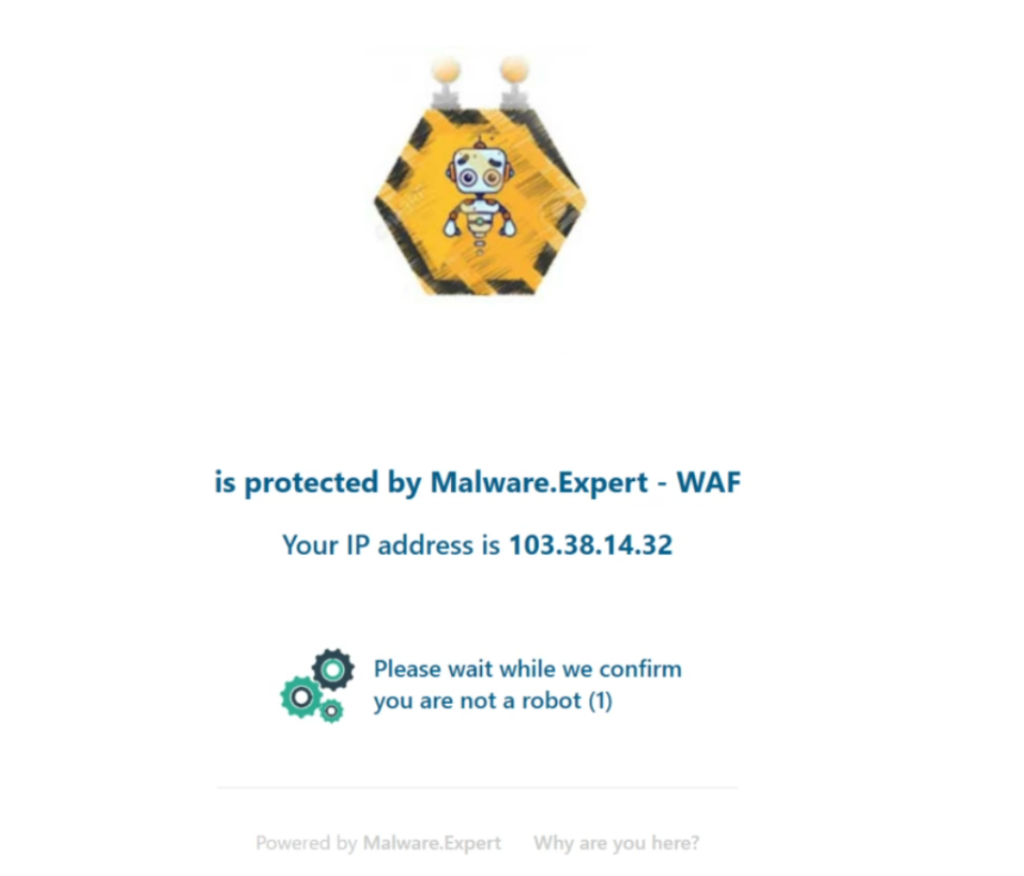
One of our main customer’s issue is that they are getting abusive traffic to their Website/CMS admin login page and most of the time they are noticing load spikes on their account due to this, on checking the logs they could only realize that most of this requests are generated by robots.
So we are happy to introduce cPGuard reCAPTCHA protection help you find bad traffic on your website without any user conflicts. It gives you a score based on your interactions with your website and gives you more flexibility to take appropriate actions. It uses advanced risk analysis techniques to separate humans & bots and It does this while letting your valid users pass through with ease. In simple words, reCAPTCHAs are designed to prevent automated bots, while reCAPTCHAs are themselves automated and are programmed to pop up at certain places on a website and automatically pass or fail users.
cPGuard reCAPTCHA protection regularly updates its system, and so the spammers also need to update their decoding methods regularly, which can frustrate abusers.?
Now let’s talk about its working, cPGuard reCAPTCHA uses the algorithm assumes you are a human being, it will validate the reCaptcha without further action on your part. If not, it will provide a set of images that you need to sort before continuing.
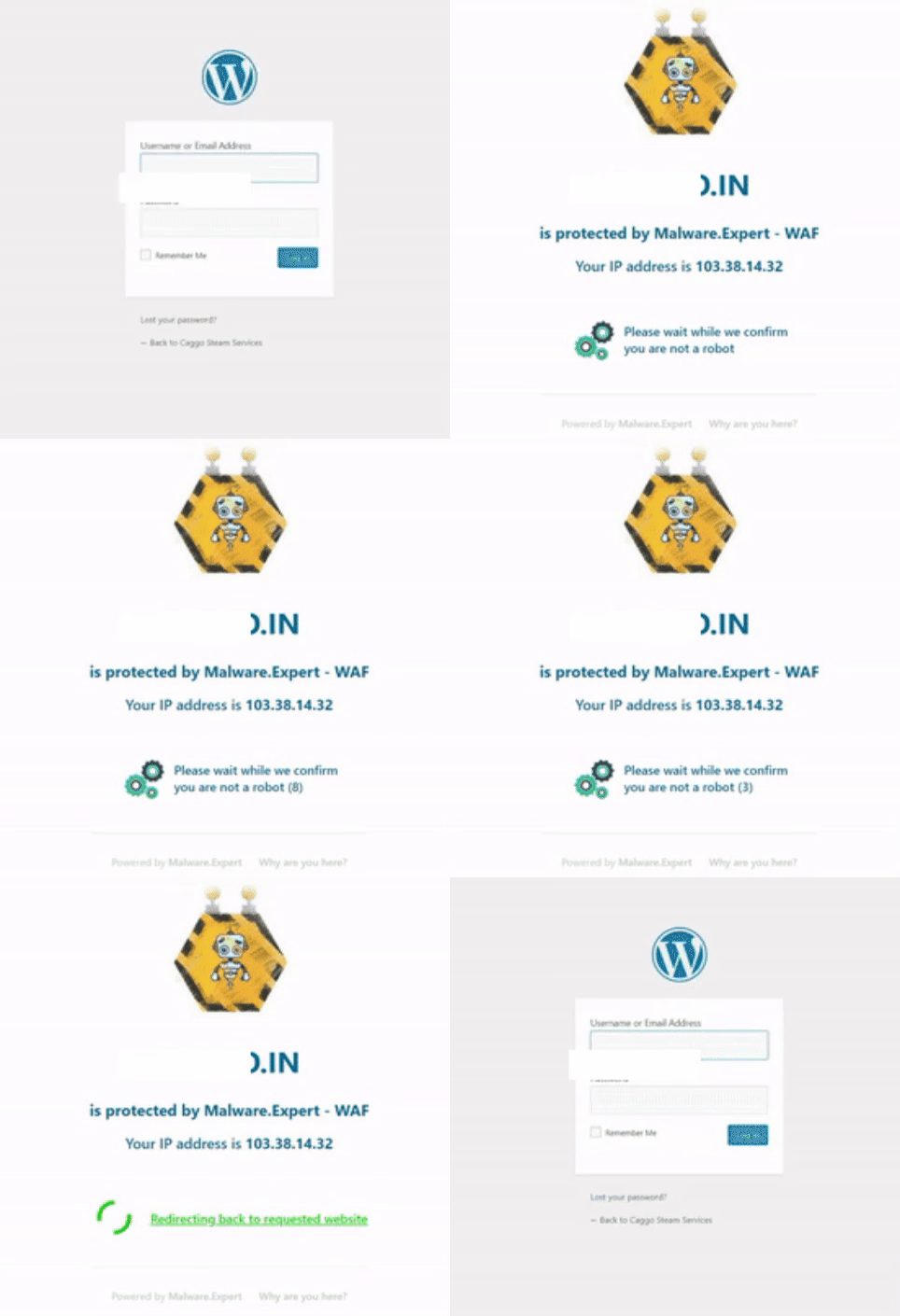
Looking into this scenario, you are opening a website on any browser which reCaptcha is enabled. Well, this is the same thing – it doesn’t have a checkbox. You will see the field like below GIF Image. If it thinks that you are not a human, as with traditional reCaptcha, sometimes an additional challenge may appear, but with invisible recapture, this happens when you submit the form (the submission sends out once the image test is validated) when you tick the checkbox.
When it identifies that you are not a robot, it sends over an HTTP request with the whole bunch of useful information things like
Your IP Address
Your country
Timestamp
All of these criteria are processed by Machine Learning Risk Analysis, and often the information can tell the difference between a human and a bot, but a small percentage of users often complete an additional challenge if the risk analysis engine is still unsure.
That’s where image recognition cPGuard reCaptcha comes in. If you prove that you are human in this way, then the engine is likely to be remembered and you can go through these things the next time you click on that checkbox.
The main feature of cPguard reCAPTCHA protection is to prevent Brute force attack and this is optional and can enable it on WHM >> cPGuard >> Settings >> WAF page
Brute force attack is a process that involves repeated and repeated attempts to get into a website with various password combinations. Hackers try out different combinations of usernames and passwords until they log in. For their attack, hackers use bots or mechanical tools. Most of the brute force attacks are common against popular CMS platforms like WordPress, Joomla, etc..
Once you enable reCAPTCHA protection in cPGuard, they identify the request which is legitimate and bad ones at the HTTP(Webserver) proportionate and redirect the bad traffic to the Captcha page. This protection algorithm is made with Modsecurity plus cPguard WAF enabled.
The protection works like if the system notice unexpected number of POST requests from a certain IP addresses towards the CMS login page, they requests will be forced to the Captcha page to make sure the requests are legitimate or not. Once verification is completed, the IP address with the genuine request will be allowed in the system and next time they can deliver the traffic without Captcha verification and the other lousy traffic from the IP address will be considered a DoS attack and will the IP address in the ConfigServer Security & Firewall (CSF).
Also, we(cPGuard) have a central blacklisting system which analyzes the whole traffic to the websites and the system sort down the bad traffic from the same and forwards the genuine request to the website after verification. The detected IP’s which are used for bad traffic is added to our central database using a 30-day grace period and if the request comes back from the detected IP’s, it will be redirected to verify the Captcha to continue to the website!
Malware.Expert a leading provider well-known for Commercial WAF rules, ClamAV Signatures for PHP and for many other projects under their hood announcing its technology/development partnership with OpsShield, an Indian based development and server management company offering security suite for cPanel servers and other security/management solutions for Linux servers. “We are very excited to join the cPGuard development team and to work with them on their continued effort to make cPGuard the best. Our team in Scandinavia will work closely with OpsShield engineers in each phase of the product development and testing to make sure that the software released will ensure the best result. We hope to bring in our efforts to enhance the scanner engine and virus database module integrated in cPGuard” – said CEO of Malware. Expert
“It is the best news that we can pass to our customers after our initial integration with Malware.Expert WAF in cPGuard. We are getting a very nice response regarding the WAF module and we hope the very same positive vibes can be added by Malware.Expert in other cPGuard modules as well. With our mutual agreement in development and technology sharing, we also can help to contribute to their open/free projects and thus boost the open-source projects. With the new partnership, we hope to see nice improvements in cPGuard core modules in upcoming releases” – said OpsShield CEO Mrs: Kala Karun
OpsShield is now protecting hundreds of cPanel/Linux servers with their security suite cPGuard. In the future, the cooperation will work on cPGuard enhancements, prepare cPGuard to support multiple control panels and other exciting projects like a cloud-based e-mail scanner. OpsShield is now protecting hundreds of cPanel/Linux servers with their security suite cPGuard. In future technology, the cooperation will work on cPGuard enhancements, prepare to offer security to support multiple control panels and other exciting projects like a cloud-based e-mail scanner. Please feel free to contact us if you would like to hear anything more about this.
Scanning files for bad content is often required for server admins when they detect unusual activities under an account. On systems like a shared server, this happens quite often because the applications installed under various account may leave security holes which let attackers to exploit them and abuse the account privileges. Here I would like to introduce you a few tools which you can use the scan the files without any charges.
ClamAV
ClamAV is an open source antivirus engine for detecting trojans, viruses, malware & other malicious threats and most popular free scanner solution in cPanel world. ClamAV is released under GNU GPLv2 license and maintained by an active group of developers and community members. ClamAV is very versatile and available for multiple platforms like Linux, Windows, FreeBSD, etc and provides options to enable integration easily using LibClamAV. Along with Web files scanning, it is also well known to scan emails for spam and end-point security.
You can use ClamAV’s command-line tool to scan files on your cPanel server. It provides various option to enhance the scanning including the option to add your custom virus databases. There are plenty of providers who use this flexible utility along with their signature database. It is fairly easy to create the virus signatures using ClamAV’s ‘sigtool‘ utility and with various combinations, you can create very powerful virus signatures. You can either use the command-line option to add an additional database or can specify the URL to download signature in thefreshclamconfiguration file. You can use Malware.Expertvirus signatures with ClamAV and it can generate excellentresultsin file scanning. Please referLINKto read more about all available command-line scanner options.
cPGuard takes advantage of the LibClamAV library to perform signature based scanning. Instead of following the legacy method, we customize the scan method to generate less Memory/CPU foot-print and excellent result.
Maldet
Linux Malware Detect (LMD) is a malware scanner for Linux released under the GNU GPLv2 license and managed by R-fx Networks. This has been available for some time and quite popular to scan files for viruses/malware. Though there is no GUI available for MalDet, it has very powerful commandline utility and it can work with other control panles as well. This is also using the signature based scanning method in its core and takes advantage of ClamAV if its available. It can be used for manual scanning and provides options to automate the scanner either using a cron job or using the inotify deamon. The configuration available is quite flexible and can enable auto-quarantine, enable e-mail alerts, clean infected files, etc.
also provides configuration to enable ModSec level file scanning during file uploads which is quite useful in many occassions. With its configurable auto-scanning, auto-quarantine and email alert options, MalDet helps server admins to make sure that the files updated are scanned and an action is performed against the detected bad files. MalDet is more powerful along with Malware.Expert virus signatures and you can see noticeable improvements in the file detection rate.
Malware Expert’s Malware Scanner and Removal Tool
Malware Expert is an innovative company which is offering solutions for web hosting server security. It provides various solutions to secure Web traffic using MOdSec rules, reduce brute-force attacks and spam emails using various RBL system, etc. Malware Scanner and Removal Tool is one of the latest solution from them and it is completely free of charge to use on your servers. This tools also use the ClamAV signature scanning engine in its core to scan files. It provides option to scan your directory and automatically clean the infected files. This is a very handy tool to scan your web files and with their custom ClamAV signatures, provides excellent results and can detect major kind of bad PHP files.
This does not provide an option to automate the scanner. But using a simple shell script, you can write a script to automate the scanner and schedule it using a cron job.
Conclusion
The free solutions are a good start to learn and test your scan/analysis skills. Though the free solutions cannot provide you instant files upload scanner and there will be no instant support offered from the developers. You can check thecPGuard security plugin which provides various methods to secure your cPanel server.