
Next-Gen Brute-Force Protection: Why You Should Switch from Fail2ban to cPGuard LFD
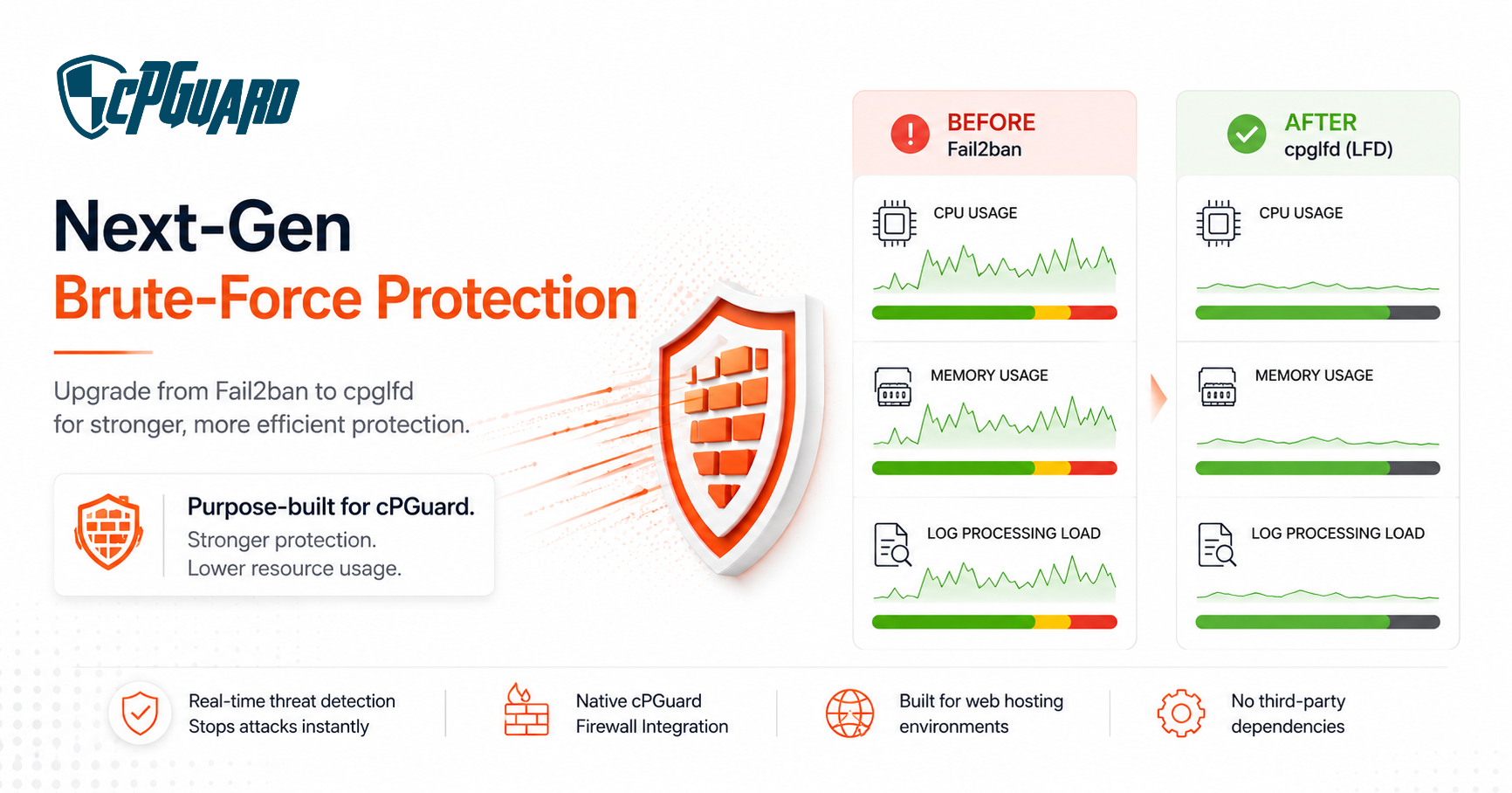
Securing your servers against relentless brute-force and web-based attacks requires agility, speed, and deep integration. For years, Fail2ban has been the standard tool for monitoring logs and banning malicious IPs in cPGuard. However, as modern attack vectors evolve, standard tools can sometimes struggle under heavy load, consuming precious CPU and memory.
To solve this, we are thrilled to introduce CPG LFD—our brand-new, ultra-lightweight Login Failure Daemon designed specifically for cPGuard.
If you are currently running Fail2ban, here is why switching to cpglfd is the single best upgrade you can make for your server’s performance and security today.
What is cPGuard LFD ( cpglfd)?
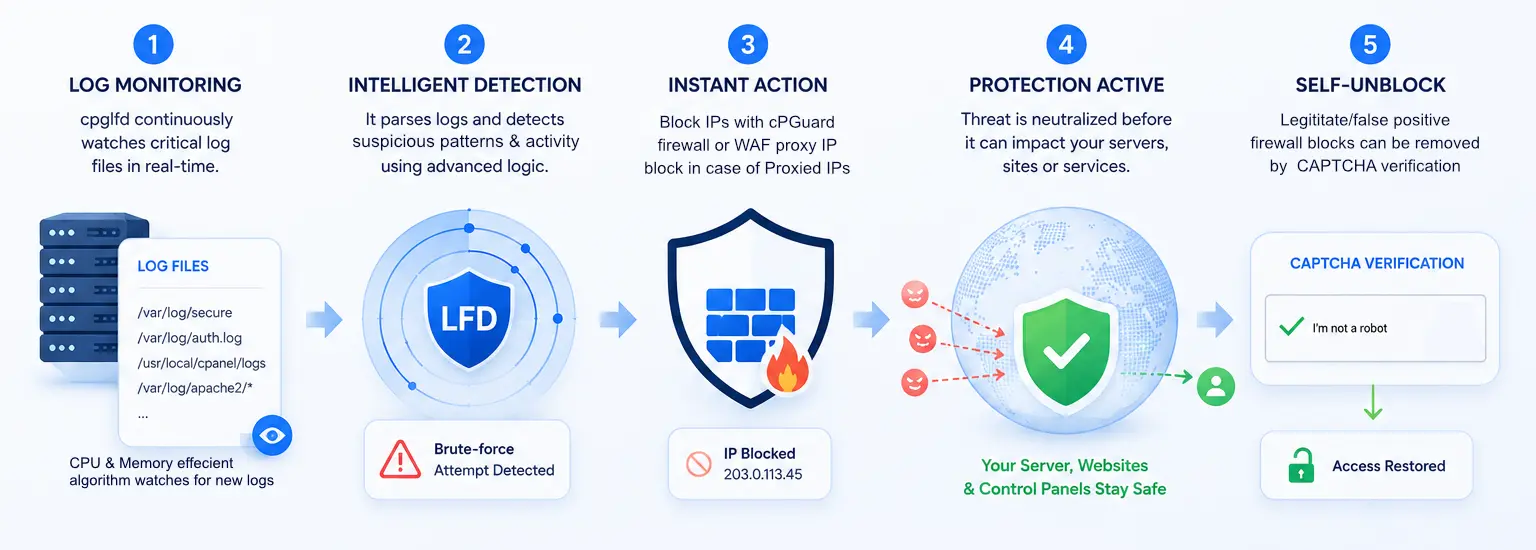
cPGuard LFD is a proprietary, high-performance log-parsing and login-failure daemon built from the ground up to replace Fail2ban within the cPGuard ecosystem. It monitors system and application logs in real-time, detects malicious authentication attempts, and instantly mitigates brute-force attacks before they can overwhelm your applications, websites or control panels.
Why cpglfd eclipses traditional Fail2ban
While Fail2ban is a versatile tool, it is built as a generic solution. cpglfd, on the other hand, is purpose-built for web hosting environments running cPGuard.
1. Ultra-Lightweight & High Efficiency
Fail2ban can become resource-heavy, especially on busy servers with massive log files. It frequently spikes CPU usage when parsing logs under a heavy distributed brute-force attack. cpglfd has been engineered for maximum efficiency, boasting a microscopic resource footprint. It processes logs with minimal overhead, leaving your RAM and CPU free to serve your actual website traffic.
2. Native cPGuard firewall integration
Fail2ban relies on generic external wrappers to manipulate system firewalls, which can occasionally cause synchronization delays. The cpglfd features native, deep integration with the cPGuard firewall layer. When an IP is flagged for abuse, the block is injected directly and seamlessly into your cPGuard firewall rules instantly, ensuring zero-lag mitigation. When you enable Captcha protection in the firewall settings, the cpglfd block enabled Captcha verification for the blocked IPs and let the genuine users to unblock themselves.
3. Smarter web & Brute-Force defense
Because it is deeply embedded into our ecosystem, cpglfd possesses a contextual understanding of web attacks that generic tools lack. It works hand-in-hand with cPGuard’s existing threat intelligence, allowing it to differentiate between a genuinely malicious botnet and an accidental user typo much more effectively.
4. No need for third-party dependencies
Since cpglfd is developed inhouse, it does not need to install third-party packages and maintaining them.
The Verdict: cpglfd is the new recommended standard
To ensure our customers get the absolute best performance out of their infrastructure, cPGuard now officially recommends cpglfd over Fail2ban for all deployments.
By making the switch, you immediately unlock:
- Better server response times under attack.
- Drastically reduced CPU and memory overhead.
- Tighter, unified security orchestration.
How to Switch
Transitioning from Fail2ban to the new LFD module is completely seamless. We have automated the process to ensure your server remains fully protected during the swap.
You can enable the new cpglfd module directly through your cPGuard’s Firewall settings page
Select server > Go to Firewall settings > Turn on Intrusion Defence (lfd)
Fail2ban will be automatically turned off when lfd is turned ON
and using CLI, you can run the following command
cpgcli lfd --enable
